
 Tiếng Việt
 Cloud server services
 Business Email
 Content Delivery Network
 Cloud PC
 Linux Security and Hardening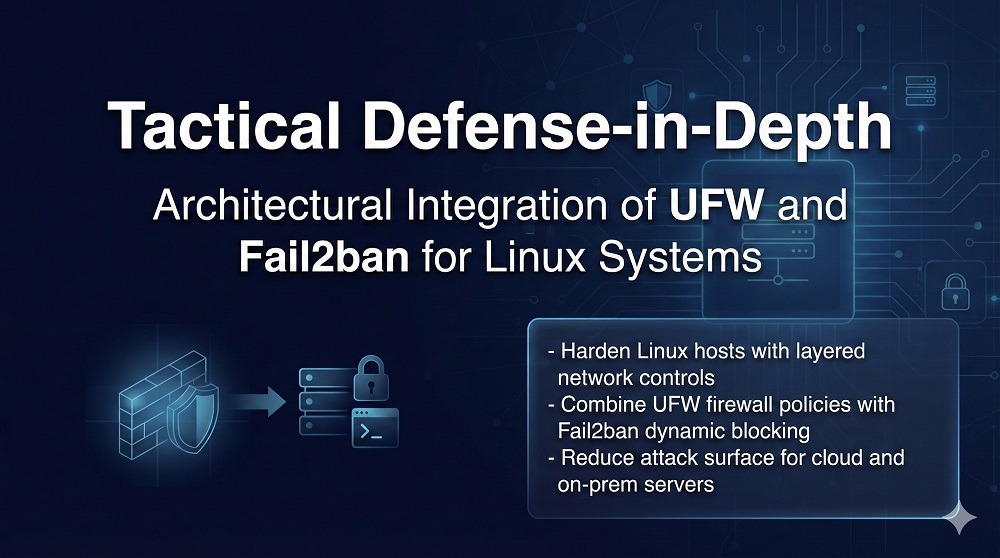
The contemporary digital landscape is characterized by a perpetual state of low-intensity conflict, where every internet-facing IP address is subjected to continuous reconnaissance and exploitation attempts within minutes of becoming reachable. For system administrators and security engineers, the challenge lies in erecting a defensive perimeter that is robust enough to withstand sophisticated brute-force attacks while remaining lightweight enough to operate on resource-constrained environments such as Virtual Private Servers (VPS), edge computing nodes, and Internet-of-Things (IoT) gateways. The solution to this paradox increasingly centers on the synergistic integration of the Uncomplicated Firewall (UFW) and Fail2ban. This report provides an exhaustive technical analysis of these tools, their architectural underpinnings, their strategic benefits, and a definitive guide to their implementation and optimization in professional environments.
The Conceptual Architecture of Lightweight Defense
At the heart of Linux network security is the Netfilter framework, a subsystem within the Linux kernel that provides the hooks necessary for packet filtering, network address translation (NAT), and port mangling. While Netfilter provides the raw power, interacting with it directly through legacy tools like iptables or modern successors like nftables often requires a level of syntactic precision that can lead to administrative exhaustion and configuration drift.1 UFW and Fail2ban address this by providing an abstraction layer and an automated reaction engine, respectively.
Defining the Uncomplicated Firewall (UFW)
UFW is not a firewall engine in itself but rather a high-level command-line interface designed to manage a Netfilter firewall. Developed primarily for the Ubuntu ecosystem, it has gained widespread adoption across Debian-based distributions and beyond due to its human-readable syntax and “secure by default” philosophy.3 It translates simple administrative intent—such as “allow port 80″—into the complex rule chains required by the kernel’s filtering backends. On modern systems, UFW serves as a front-end for nftables, leveraging the modern engine’s performance benefits while shielding the user from its verbose configuration language.6
Defining Fail2ban
Fail2ban is an intrusion prevention framework written in Python that provides a dynamic layer of security by monitoring system logs for signs of malicious activity.4 It functions as a bridge between application-level logs and kernel-level firewall enforcement. When Fail2ban detects a pattern of abuse—such as a specific IP address failing an SSH login five times within ten minutes—it automatically triggers a temporary or permanent block via the system’s firewall.11 This automated response mechanism is critical for neutralizing automated bots that can attempt thousands of password combinations per hour.10
| Component | Operational Role | Primary Mechanism | Resource Impact |
| UFW | Static Perimeter | Kernel-level packet filtering | Minimal (Passive) |
| Fail2ban | Dynamic Response | Log parsing and automated banning | Low (Active scanning) |
| Netfilter | Enforcement Engine | Packet header inspection | High-speed kernel execution |
| systemd-journald | Evidence Source | Centralized logging | Managed by OS |
Strategic Necessity: Why Lightweight Firewalls are Essential
The requirement for a lightweight firewall stack is driven by the economics of modern cybercrime and the architectural constraints of distributed computing. As servers move from centralized data centers to the edge, the overhead of security tools becomes a critical performance metric.
Mitigating the Automated Threat Landscape
The vast majority of network attacks today are not conducted by human hackers but by vast, distributed botnets scanning the entire IPv4 space for vulnerabilities.9 These bots target common services like SSH (port 22), HTTP/S (80/443), and databases. Without a firewall, every service listening on a public interface is a potential entry point. UFW provides the necessary “surface control,” ensuring that only authorized ports are visible to the internet.16 Fail2ban then addresses the threats that target those authorized ports, such as brute-force attempts against a legitimate SSH service.9
Resource Efficiency on Modern Infrastructure
In a cloud-native world, VPS instances often operate with limited CPU and RAM. Traditional, monolithic security suites can consume a significant percentage of these resources, increasing the total cost of ownership (TCO) and potentially impacting application performance. The UFW and Fail2ban combination is specifically designed for minimal overhead. UFW, once configured, resides within the kernel space, consuming almost no measurable CPU cycles during normal packet processing.16 Fail2ban, while an active daemon, can be optimized to use modern logging backends like systemd to minimize disk I/O and CPU spikes.6
Complexity Reduction and Human Error
Security failures are frequently the result of configuration errors rather than software vulnerabilities. The “Uncomplicated” nature of UFW significantly reduces the likelihood of an administrator accidentally leaving a sensitive port open or locking themselves out of a system.1 By providing a clear and concise syntax, UFW allows security policies to be audited and maintained more easily than raw iptables scripts.2
Architectural Benefits: The Layered Security Model
Integrating UFW and Fail2ban provides a layered defense that is superior to using either tool in isolation. This synergy creates a defensive posture that is both preventive and reactive.
Granular Access Control
UFW allows for the implementation of strict ingress and egress policies. By adopting a “default deny” posture for incoming traffic, the administrator ensures that the server remains invisible to port scanners for any service not explicitly permitted.16 This is particularly useful for protecting internal services like databases (e.g., PostgreSQL on port 5432) from external exposure while allowing them to communicate with local applications.23
Automated Threat Neutralization
Fail2ban transforms static firewall rules into an adaptive defense. By monitoring application-specific logs—such as Nginx error logs or SSH authentication logs—it can identify malicious intent that a standard firewall would miss.9 This automation removes the need for 24/7 manual monitoring and allows the system to defend itself against brute-force attacks in real-time.10
Scalability and Modularity
The modular nature of this stack allows it to scale from a single Raspberry Pi to a cluster of cloud servers. Because Fail2ban uses standard firewall actions, it can be configured to use ipset or nftables sets for high-performance banning, allowing it to manage thousands of concurrent IP blocks with negligible impact on network throughput.6
Basic Configuration: Establishing the Defensive Perimeter
Implementing a robust firewall solution requires a systematic approach to installation, policy definition, and service authorization.
UFW Installation and Baseline Policy
On most Debian-based distributions, UFW is pre-installed, but it must be explicitly configured and enabled. The first step in any professional deployment is establishing the default policies.
- Default Deny Incoming: This ensures that all unsolicited traffic is blocked by default.16
- Default Allow Outgoing: This allows the server to reach out for updates and communicate with external APIs.16
| Command | Action | Rationale |
| sudo apt install ufw | Installation | Ensures the package is present on the system. |
| sudo ufw default deny incoming | Baseline Security | Implements the principle of least privilege. |
| sudo ufw default allow outgoing | Operational Continuity | Prevents disruption of system updates and DNS lookups. |
| sudo ufw allow ssh | Administrative Access | Critical: Prevents lockout before enabling the firewall. |
| sudo ufw enable | Activation | Commits the ruleset to the kernel. |
Advanced Rule Specification
UFW supports rules based on service names, specific ports, and protocol types. For example, to secure a standard web server, one would allow HTTP and HTTPS traffic while perhaps restricting SSH access to a specific administrative IP address or subnet.16
- Service Names: sudo ufw allow http or sudo ufw allow https.
- Port/Protocol: sudo ufw allow 80/tcp or sudo ufw allow 443/tcp.
- IP-Specific Rules: sudo ufw allow from 192.168.1.100 to any port 22.16
To mitigate basic Denial of Service (DoS) attempts, UFW includes a rate-limiting feature. The command sudo ufw limit ssh permits only six connections from a single IP address within a 30-second window, providing an initial throttle against rapid brute-force bots.6
Fail2ban Integration: The Reactive Layer
Once the static perimeter is established with UFW, Fail2ban must be configured to monitor services and take automated action.
Installation and Initial Setup
Fail2ban is available in the repositories of all major Linux distributions. After installation, the service should be enabled to start at boot.12
——
sudo apt update
sudo apt install fail2ban
sudo systemctl enable fail2ban
sudo systemctl start fail2ban
——
The Configuration Hierarchy: jail.conf vs. jail.local
A fundamental rule of Fail2ban administration is to never modify the default /etc/fail2ban/jail.conf file, as it will be overwritten during package updates.18 Instead, all custom configurations should be placed in /etc/fail2ban/jail.local or within service-specific files in /etc/fail2ban/jail.d/.10
A standard jail.local file defines the global defaults for banning behavior:
| Parameter | Recommended Value | Description |
| ignoreip | 127.0.0.1/8 ::1 <Admin_IP> | Whitelist to prevent accidental self-bans.13 |
| bantime | 1h (or 3600) | The duration an IP address is blocked.13 |
| findtime | 10m (or 600) | The window in which failures are counted.13 |
| maxretry | 5 | The threshold of failures before a ban is triggered.18 |
| banaction | ufw | Critical: Instructs Fail2ban to use UFW for enforcement.13 |
Defining Service Jails
Jails are the operational units that bind a filter (the “what” to look for) to an action (the “how” to block) for a specific log file.9 To protect the SSH service with UFW-specific actions, the [sshd] section in jail.local or a dedicated sshd.local file is configured:
Ini, TOML
——
[sshd]
enabled = true
port = ssh
filter = sshd
logpath = /var/log/auth.log
maxretry = 3
bantime = 24h
——
This configuration applies a stricter 24-hour ban if three failed attempts are detected within the default findtime.17
Deep Dive: Technical Implementation and Optimization
For professional environments, “basic” configuration is often insufficient. High-traffic servers and edge devices require optimization to ensure that security measures do not become performance bottlenecks.
Optimizing Log Parsing with the systemd Backend
Traditional log parsing involves “polling” files on the disk, which can be CPU-intensive if many large logs are being monitored.29 By switching the Fail2ban backend to systemd, the daemon receives events directly from the journal, reducing disk I/O and improving detection speed.6
Ini, TOML
——
backend = systemd
——
When using the systemd backend, the logpath parameter is often replaced by journalmatch, allowing Fail2ban to filter log entries by their systemd unit name (e.g., _SYSTEMD_UNIT=sshd.service).6
Performance at Scale: Ipset and Nftables Sets
One of the most significant performance hurdles in Linux firewalling is the linear evaluation of rules. In a standard iptables setup, if Fail2ban bans 10,000 IPs, the kernel must check every incoming packet against those 10,000 rules one by one.25
To resolve this, Fail2ban can be integrated with ipset (for iptables) or native sets (for nftables). These technologies use hash tables to store banned IPs, allowing for lookup times. This means the time taken to check a packet against a ban list remains constant regardless of whether there are 10 or 100,000 banned addresses.6 On modern Ubuntu systems using the nftables backend, configuring Fail2ban to use the nftables-multiport action achieves this efficiency automatically.6
Incremental and Persistent Banning
Attackers frequently automate their bots to “wait out” a standard one-hour ban. Incremental banning addresses this by increasing the bantime exponentially for repeat offenders.33 This behavior is enabled by the bantime.increment setting, which allows the administrator to define a growth factor and a maximum ban duration.13
——
Ini, TOML
bantime.increment = true
bantime.factor = 4
bantime.formula = bantime * (1 + failures / 6)
bantime.maxtime = 1w
——
Furthermore, the recidive jail can be enabled to monitor /var/log/fail2ban.log. This jail identifies IPs that have been repeatedly banned across any other jail and imposes a long-term (e.g., one week or one month) block, effectively acting as a “bad reputation” filter for the server.6
The Docker Paradox: Remediation of Firewall Bypass
A critical security vulnerability often overlooked by administrators is the interaction between Docker and UFW. By default, Docker manipulates iptables directly to manage container networking and port mapping.35
Understanding the Bypass Mechanism
When a Docker container publishes a port using the -p flag, Docker inserts a rule into the PREROUTING chain of the nat table.35 In the Linux kernel’s packet flow, the nat table’s PREROUTING chain is evaluated before the filter table’s INPUT chain, where UFW’s rules reside. Consequently, traffic destined for a Docker container bypasses UFW entirely.35 This means that even if UFW is set to “deny all,” a Docker-published port remains accessible to the entire internet.
Remediation Strategies
To force Docker traffic through UFW’s logic, administrators have several options:
- Localhost Binding: Publish container ports only to the loopback interface (-p 127.0.0.1:8080:80). This is ideal for services that are accessed only via a local reverse proxy like Nginx.37
- DOCKER-USER Chain: Docker provides a specific chain intended for user-defined rules that are evaluated before Docker’s own rules.35
- UFW-Docker Script: A community-maintained script (ufw-docker) automates the modification of /etc/ufw/after.rules to correctly route Docker traffic through UFW’s filtering logic without breaking container networking.35
A manual fix involves adding the following to /etc/ufw/after.rules:
BEGIN UFW AND DOCKER
*filter
:ufw-user-forward – [0:0]
:DOCKER-USER – [0:0]
-A DOCKER-USER -j RETURN -s 10.0.0.0/8
-A DOCKER-USER -j RETURN -s 172.16.0.0/12
-A DOCKER-USER -j RETURN -s 192.168.0.0/16
-A DOCKER-USER -j ufw-user-forward
COMMIT
END UFW AND DOCKER
After applying these rules and restarting UFW, container ports can be managed using standard ufw route commands, such as sudo ufw route allow proto tcp from any to any port 80.35
Distribution-Specific Implementation: Beyond Ubuntu
While UFW originated on Ubuntu, the combination of UFW and Fail2ban is highly portable across the Linux ecosystem.
RHEL, CentOS, and Fedora
On Red Hat-based systems, firewalld is the default. However, UFW can be installed via the EPEL (Extra Packages for Enterprise Linux) repository.16 Administrators must ensure that firewalld is disabled and masked to avoid conflicts between two firewall managers competing for the same kernel hooks.19
Arch Linux
Arch Linux provides UFW and Fail2ban through its core repositories. A unique requirement for Arch is ensuring the iptables or nftables service is appropriately managed, as Arch often requires more manual service orchestration than Ubuntu.16
Alpine Linux and IoT Devices
For extremely resource-constrained environments like Alpine Linux (often used in Docker containers or IoT), UFW is available as a lightweight package (apk add ufw). On Alpine, administrators must also manage the ip6tables package to ensure full IPv6 support.41 For diskless Alpine installations, the lbu (Alpine Local Backup) utility must be used to commit UFW configuration changes to persistent storage.41
Performance Metrics and Resource Analysis
The efficiency of this security stack is not merely theoretical. On a typical low-end VPS (1 vCPU, 1GB RAM), the following resource consumption patterns are observed:
| Scenario | CPU Usage | RAM Usage | Network Latency Impact |
| Idle (UFW+Fail2ban) | < 1% | ~40-60 MB | Negligible |
| Active Brute Force Attack | 2-5% | ~60-80 MB | < 1ms (with ipset) |
| Standard log parsing (Polling) | 5-10% spikes | ~80 MB | N/A |
| systemd journal scanning | 1-2% steady | ~60 MB | N/A |
Log Size and I/O Bottlenecks
A common performance pitfall is the “startup spike.” When Fail2ban restarts, it may attempt to read the entire history of its monitored logs to determine if any bans should have been in place while it was stopped.29 On high-traffic web servers with multi-gigabyte logs, this can result in 100% CPU usage for several minutes.29
To mitigate this:
- Implement aggressive log rotation (daily or based on size).10
- Use the systemd backend, which tracks the journal cursor and avoids re-reading old entries.6
- Set a reasonable dbpurgeage in fail2ban.conf to keep the internal SQLite database lean.19
Comparative Analysis with Modern Alternatives
While UFW and Fail2ban are a formidable pair, the landscape of intrusion prevention is evolving toward collective intelligence and eBPF-based filtering.
Fail2ban vs. CrowdSec
CrowdSec is a modern alternative that adopts a “crowdsourced” approach to threat intelligence.42 While Fail2ban is strictly local, CrowdSec shares anonymized IP reputation data among its users. If an IP is banned on thousands of other servers, CrowdSec can proactively block that IP on your server before it ever attempts a connection.42
| Metric | Fail2ban | CrowdSec |
| Architecture | Local Log Parsing | Local Agent + Global API |
| Detection Mode | Reactive | Proactive (Reputation-based) |
| Resource Usage | Very Low | Low to Moderate |
| Privacy | High (No external data shared) | Moderate (Shares metadata) |
| Complexity | Simple | Moderate (Scenario-based) |
For privacy-sensitive environments or single, low-traffic servers, Fail2ban remains the superior choice due to its simplicity and zero-external-dependency model.42
UFW vs. Firewalld vs. Raw Nftables
For complex network topologies (e.g., servers acting as routers or those with multiple VLANs), the zone-based model of firewalld is more expressive.5 However, for the majority of cloud-based workloads, UFW’s flat model reduces the risk of misconfiguration.1
For ultra-high-performance environments, such as those handling 10Gbps+ throughput, bypassing front-end managers entirely in favor of raw nftables or eBPF (Extended Berkeley Packet Filter) programs is necessary to avoid the overhead of the Netfilter hooks themselves.3
Strategic Hardening: Beyond the Firewall
A firewall is a single layer of a comprehensive security strategy. To maximize the effectiveness of UFW and Fail2ban, they must be combined with broader system hardening.
Kernel and Network Hardening (Sysctl)
The Linux kernel can be tuned to ignore specific types of malicious traffic before they even reach the firewall evaluation stage. These settings are configured in /etc/sysctl.conf.6
- SYN Flood Protection: net.ipv4.tcp_syncookies = 1 uses cryptographic cookies to handle SYN requests without exhausting memory.6
- RP Filter: net.ipv4.conf.all.rp_filter = 1 enables Reverse Path Filtering to prevent IP spoofing.6
- Ignore ICMP Redirects: net.ipv4.conf.all.accept_source_route = 0 prevents attackers from rerouting your server’s traffic.49
SSH Protocol Hardening
Fail2ban is most effective when it is the second line of defense behind a hardened SSH configuration.13
- Disable Password Auth: PasswordAuthentication no forces the use of SSH keys, which are immune to traditional brute-force attacks.17
- Custom Port: Changing SSH from port 22 to a random high port (e.g., 2222) can reduce the volume of bot logs by up to 99%, although it is not a substitute for real security.13
- MaxAuthTries: Setting MaxAuthTries 3 within sshd_config ensures that the connection is dropped quickly, generating the log entry Fail2ban needs to trigger a ban.14
Conclusion: The Case for Modular Defense
The integration of UFW and Fail2ban represents a pinnacle of the “Unix Philosophy” applied to cybersecurity: small, focused tools that work together to solve complex problems. By separating the enforcement mechanism (UFW) from the intelligence engine (Fail2ban), administrators gain a system that is both flexible and resilient.
UFW’s primary strength is its ability to reduce the attack surface through a simple, auditable interface. It provides the essential static perimeter that is required for any server exposed to the public internet. Fail2ban complements this by introducing a dynamic, reactive component that can identify and neutralize malicious behavior based on real-time evidence.
For professional deployments—ranging from a solo developer’s VPS to a fleet of edge computing nodes—the benefits of this stack are undeniable. Its low resource footprint ensures that security does not come at the cost of performance. Its human-readable configuration reduces the risk of catastrophic administrative error. And its automated nature provides a silent, persistent guardian against the ever-present noise of the internet’s automated threat landscape. As Linux networking continues to evolve toward nftables and beyond, the abstraction layers provided by UFW and Fail2ban remain the most accessible and effective way to secure a modern Linux environment. In the final analysis, the strategic implementation of these tools is not merely a technical choice, but a commitment to the principles of defense-in-depth and operational excellence.
Sources
- Key Considerations for Selecting a Linux Firewall Solution (Understanding the Types of Firewalls) – Linux Security, truy cập vào tháng 2 12, 2026, https://linuxsecurity.com/howtos/secure-my-firewall/a-linux-firewall-primer-61340
- Comprehensive Guide to Linux Firewalls: iptables, nftables, ufw, and firewalld – Cloudastra, truy cập vào tháng 2 12, 2026, https://cloudastra.co/blogs/guide-to-linux-firewalls-iptables-vs-ufw-nftables-firewalld-and-ufw
- Difference Between ufw vs. nftables vs. iptables | Baeldung on Linux, truy cập vào tháng 2 12, 2026, https://www.baeldung.com/linux/ufw-nftables-iptables-comparison
- Installing Fail2Ban and UFW on Debian based Linux | by Pirate Kitty | May, 2025 – Medium, truy cập vào tháng 2 12, 2026, https://medium.com/@the_pirate_kitty/installing-fail2ban-and-ufw-uncomplicated-firewall-on-kali-linux-0d0ec618abe5
- UFW vs firewalld: How to Pick the Right Linux Firewall Manager | Better Stack Community, truy cập vào tháng 2 12, 2026, https://betterstack.com/community/guides/linux/ufw-vs-firewalld/
- How I Built an Adaptive Firewall Setup with UFW and Fail2ban (UFW+), truy cập vào tháng 2 12, 2026, https://ivansalloum.com/how-i-built-an-adaptive-firewall-setup-with-ufw-and-fail2ban/
- choosing firewall: ufw vs nftables vs iptables – Unix & Linux Stack Exchange, truy cập vào tháng 2 12, 2026, https://unix.stackexchange.com/questions/746225/choosing-firewall-ufw-vs-nftables-vs-iptables
- Linux Firewall Administration: Firewalld and UFW – Pluralsight, truy cập vào tháng 2 12, 2026, https://www.pluralsight.com/resources/blog/software-development/linux-firewall-administration
- What is Fail2ban on Linux Server? Stop SSH Brute Force Attacks – YouStable Hosting, truy cập vào tháng 2 12, 2026, https://www.youstable.com/blog/what-is-fail2ban-on-linux-server
- Fail2Ban Example. The most powerful tools to eliminate… | by Dimas | Medium, truy cập vào tháng 2 12, 2026, https://dms-r.medium.com/fail2ban-example-3ea3651020f2
- Configuring UFW and Fail2Ban to Mitigate Basic DDos Attacks – Webdock, truy cập vào tháng 2 12, 2026, https://webdock.io/en/docs/how-guides/security-guides/configuring-ufw-and-fail2ban-mitigate-basic-ddos-attacks
- Brute-Force Protection with Fail2Ban on Ubuntu – HostMyCode, truy cập vào tháng 2 12, 2026, https://www.hostmycode.in/tutorials/brute-force-protection-with-fail2ban-on-ubuntu
- How to Setup Fail2ban on Linux Server – Complete Guide – YouStable Hosting, truy cập vào tháng 2 12, 2026, https://www.youstable.com/blog/how-to-setup-fail2ban-on-linux-server
- Brute Force Attack Mitigation Strategies for Linux Systems – WafaiCloud Blogs, truy cập vào tháng 2 12, 2026, https://wafaicloud.com/blog/brute-force-attack-mitigation-strategies-for-linux-systems/
- How to Configure fail2ban for Intrusion Prevention – OneUptime, truy cập vào tháng 2 12, 2026, https://oneuptime.com/blog/post/2026-01-24-fail2ban-intrusion-prevention/view
- Creating a Lightweight Linux Firewall with UFW and fail2ban – DEV Community, truy cập vào tháng 2 12, 2026, https://dev.to/caffinecoder54/creating-a-lightweight-linux-firewall-with-ufw-and-fail2ban-35po
- SSH Hardening and Brute Force Prevention Using Fail2ban | by Aisha B. B – Medium, truy cập vào tháng 2 12, 2026, https://medium.com/@AishaBB/ssh-hardening-and-brute-force-prevention-using-fail2ban-600f510f3360
- Fail2Ban Configuration Best Practices for Linux Server Security – WafaiCloud Blogs, truy cập vào tháng 2 12, 2026, https://wafaicloud.com/blog/fail2ban-configuration-best-practices-for-linux-server-security/
- How to Optimize Fail2ban on Linux Server – Easy Guide – YouStable Hosting, truy cập vào tháng 2 12, 2026, https://www.youstable.com/blog/how-to-optimize-fail2ban-on-linux-server-easy-guide
- The 7 Best Linux Firewalls as of 2025 – xTom, truy cập vào tháng 2 12, 2026, https://xtom.com/blog/the-7-best-linux-firewalls/
- How to Set Up a Firewall with UFW on Ubuntu – DigitalOcean, truy cập vào tháng 2 12, 2026, https://www.digitalocean.com/community/tutorials/how-to-set-up-a-firewall-with-ufw-on-ubuntu
- Linux Firewall: Configuration, Tools, Best Practices & More – TuxCare, truy cập vào tháng 2 12, 2026, https://tuxcare.com/blog/linux-firewalls/
- Ultimate Guide to Linux UFW Firewall & Fail2ban | Kite Metric, truy cập vào tháng 2 12, 2026, https://kitemetric.com/blogs/secure-your-linux-server-with-ufw-firewall-a-comprehensive-guide
- Using Fail2ban with Nginx and UFW – Johnny Chadda – About, truy cập vào tháng 2 12, 2026, https://johnny.chadda.se/using-fail2ban-with-nginx-and-ufw/
- CSF Firewall Free Alternatives – UFW + IPSet + Fail2ban | WEB SEO & WEB DESIGNING, truy cập vào tháng 2 12, 2026, https://vvcares.com/blog/csf-free-alternatives/
- How to Install and Configure Fail2ban on Ubuntu 22.04, truy cập vào tháng 2 12, 2026, https://www.howtoforge.com/how-to-install-fail2ban-on-ubuntu-22-04/
- Linux Server Hardening Guide: Securing SSH with Fail2Ban, UFW, and iptables | by Hades, truy cập vào tháng 2 12, 2026, https://h3des.medium.com/linux-server-hardening-guide-securing-ssh-with-fail2ban-ufw-and-iptables-e17907adc1a7
- Fail2ban Server Security Guide: Installation & Configuration – Plesk, truy cập vào tháng 2 12, 2026, https://www.plesk.com/blog/various/using-fail2ban-to-secure-your-server/
- Enhancement Request: fail2ban seek to end of log files, rather than reading them #1087 – GitHub, truy cập vào tháng 2 12, 2026, https://github.com/fail2ban/fail2ban/issues/1087
- fail2ban performance considerations regarding log size, complexity, and finditme settings, truy cập vào tháng 2 12, 2026, https://stackoverflow.com/questions/26568928/fail2ban-performance-considerations-regarding-log-size-complexity-and-finditme
- Fail2ban – ArchWiki, truy cập vào tháng 2 12, 2026, https://wiki.archlinux.org/title/Fail2ban
- Many fail2ban entries into iptables (DDOS attack) causes extremely slow system response · Issue #1654 – GitHub, truy cập vào tháng 2 12, 2026, https://github.com/fail2ban/fail2ban/issues/1654
- how to setup it up the best way · fail2ban fail2ban · Discussion #3700 – GitHub, truy cập vào tháng 2 12, 2026, https://github.com/fail2ban/fail2ban/discussions/3700
- Permanent block of IP after n retries using fail2ban – Server Fault, truy cập vào tháng 2 12, 2026, https://serverfault.com/questions/415040/permanent-block-of-ip-after-n-retries-using-fail2ban
- chaifeng/ufw-docker: To fix the Docker and UFW security flaw without disabling iptables – GitHub, truy cập vào tháng 2 12, 2026, https://github.com/chaifeng/ufw-docker
- How to use UFW firewall with Docker containers? – – jarrousse.org, truy cập vào tháng 2 12, 2026, https://blog.jarrousse.org/2023/03/18/how-to-use-ufw-firewall-with-docker-containers/
- TIL: Docker overrides ufw and iptables rules by injecting it’s own rules : r/selfhosted – Reddit, truy cập vào tháng 2 12, 2026, https://www.reddit.com/r/selfhosted/comments/1atjsra/til_docker_overrides_ufw_and_iptables_rules_by/
- What is the best practice of docker + ufw under Ubuntu [closed] – Stack Overflow, truy cập vào tháng 2 12, 2026, https://stackoverflow.com/questions/30383845/what-is-the-best-practice-of-docker-ufw-under-ubuntu
- What are the most essential Linux firewalls in 2026 and how do they protect your systems?, truy cập vào tháng 2 12, 2026, https://www.webasha.com/blog/what-are-the-most-essential-linux-firewalls-in-2025-and-how-do-they-protect-your-systems
- How to Install and Configure UFW Firewall on Arch Linux – Atlantic.Net, truy cập vào tháng 2 12, 2026, https://www.atlantic.net/dedicated-server-hosting/how-to-install-and-configure-ufw-firewall-on-arch-linux/
- Uncomplicated Firewall – Alpine Linux, truy cập vào tháng 2 12, 2026, https://wiki.alpinelinux.org/wiki/Uncomplicated_Firewall
- Beyond Fail2ban: How CrowdSec Revolutionizes VM Server Security with Collective Intelligence | by Sriranjan Kapilan | Jan, 2026 | Medium, truy cập vào tháng 2 12, 2026, https://medium.com/@sriranjankapilan/beyond-fail2ban-how-crowdsec-revolutionizes-vm-server-security-with-collective-intelligence-1a9f5fd25def
- Reaction vs Fail2Ban vs Crowdsec – Random Musings, truy cập vào tháng 2 12, 2026, https://opticality.com/blog/2023/12/31/reaction-vs-fail2ban-vs-crowdsec/
- Crowdsec vs. fail2ban for general server protection? – SlickStack, truy cập vào tháng 2 12, 2026, https://slickstack.io/forum/topic/crowdsec-vs-fail2ban-for-general-server-protection
- Fail2ban or CrowdSec configuration for a typical server? : r/selfhosted – Reddit, truy cập vào tháng 2 12, 2026, https://www.reddit.com/r/selfhosted/comments/1gaeqgk/fail2ban_or_crowdsec_configuration_for_a_typical/
- Crowdsec or fail2ban? : r/selfhosted – Reddit, truy cập vào tháng 2 12, 2026, https://www.reddit.com/r/selfhosted/comments/1j1phvh/crowdsec_or_fail2ban/
- ufw, system-config-firewall-tui, or firewalld vs iptables – Information Security Stack Exchange, truy cập vào tháng 2 12, 2026, https://security.stackexchange.com/questions/45881/ufw-system-config-firewall-tui-or-firewalld-vs-iptables
- iptables vs nftables in Linux: What is The Difference? – TuxCare, truy cập vào tháng 2 12, 2026, https://tuxcare.com/blog/iptables-vs-nftables/
- Raspberry Pi Projects – Improve Rasberry Pi Security – Sign in – Google, truy cập vào tháng 2 12, 2026, https://sites.google.com/site/cartwrightraspberrypiprojects/home/steps/improve-rasberry-pi-security
- Setting up and hardening a headless Raspberry Pi – Reid Main, truy cập vào tháng 2 12, 2026, https://reidmain.com/2025/01/07/headless-raspberry-pi/